Taking notes used to be a mess of notebooks and scattered files. AI tools promise to make capture, organization, and retrieval faster—but the strongest options should feel like an extension of your thinking, not a replacement for it.
We tested leading AI note apps using the same research project, meeting notes, and long-form source material. We evaluated how quickly each tool captures ideas, how reliably it retrieves them, and how much control it gives users over sensitive data.
What makes the best AI notes app?
The best tools combine fast capture with useful AI assistance and strong organization. A “make this shorter” button is not enough. We looked for summarization, semantic search, linking, practical formatting, and a clear privacy position.
- AI feature set: useful assistance without taking over the work.
- Note creation: minimal friction on desktop and mobile.
- Organization: reliable search and flexible structure as a library grows.
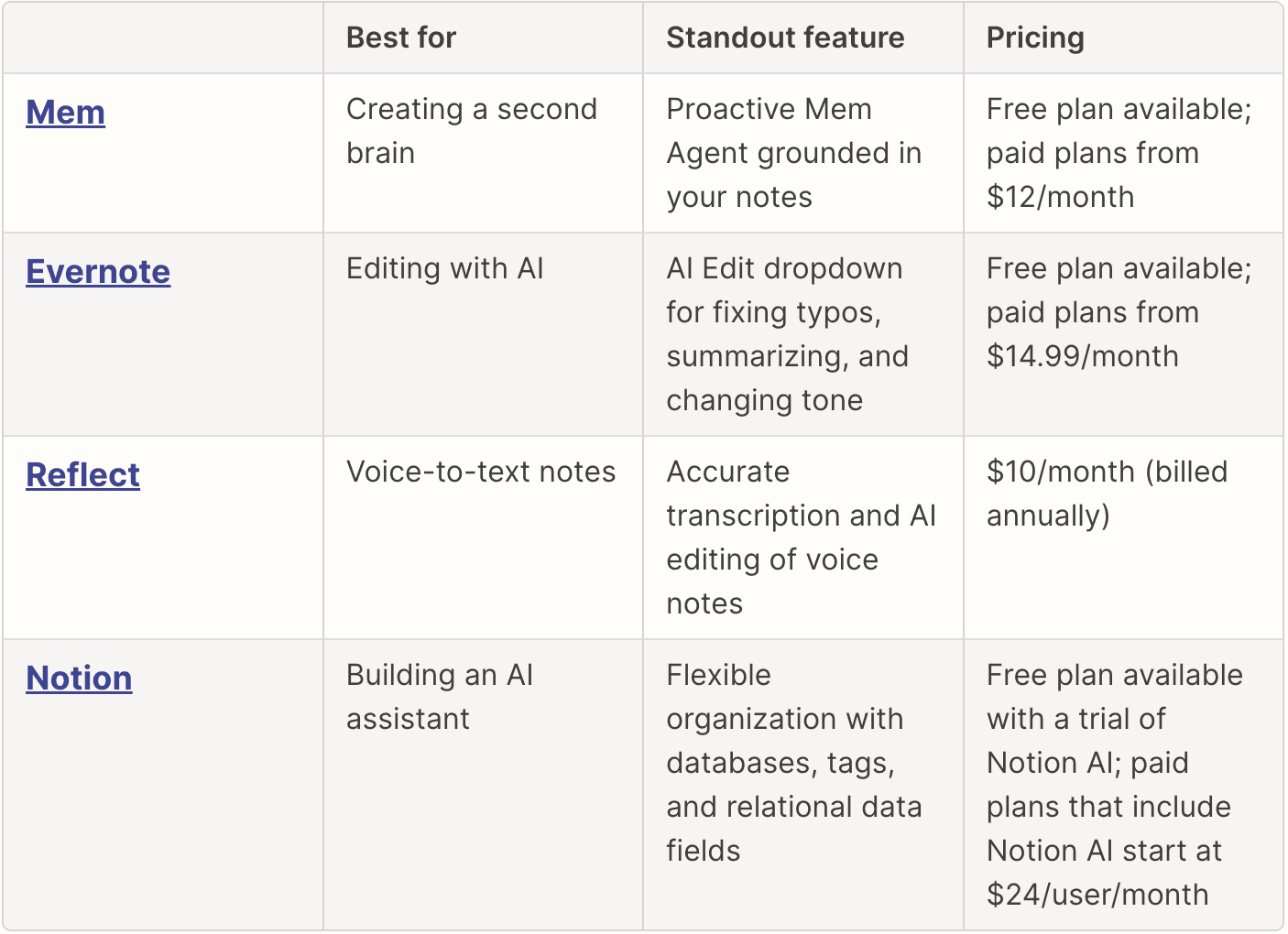
The best AI notes apps at a glance
| Product | Best for | Standout feature | Pricing |
|---|---|---|---|
| Mem | Creating a second brain | AI organization | Free plan |
| Evernote | Editing with AI | AI cleanup | From $14.99/mo |
| Reflect | Note-taking | Assistant | Paid |
| Notion | Flexible workspaces | Projects + notes | Free plan |
Best AI notes app for editing with AI
Evernote (Web, Windows, Mac, iOS, Android)
Pros
- Fast setup and clear workflow
- Reliable results in core tasks
- Useful free plan
Cons
- Advanced controls take time to learn
- Paid plan required for frequent use
Evernote’s AI editing controls are intentionally focused. In our tests, cleanup and summarization worked best on longer, context-rich notes. It remains one of the easiest options for users who want familiar note organization with a measured layer of AI.
Visit site